ULLIMO
made by talking
AI agent · video & sound

AI agent video & audio studio

From an idea to a finished video. Sound included.

Bring your own video and audio, or generate new material with AI. Ask the agent to edit, then refine your work with a timeline, mixer and spatial audio tools.

30 tokens on signup · No installation

Video editing, Compose and Simulate require a subscription.
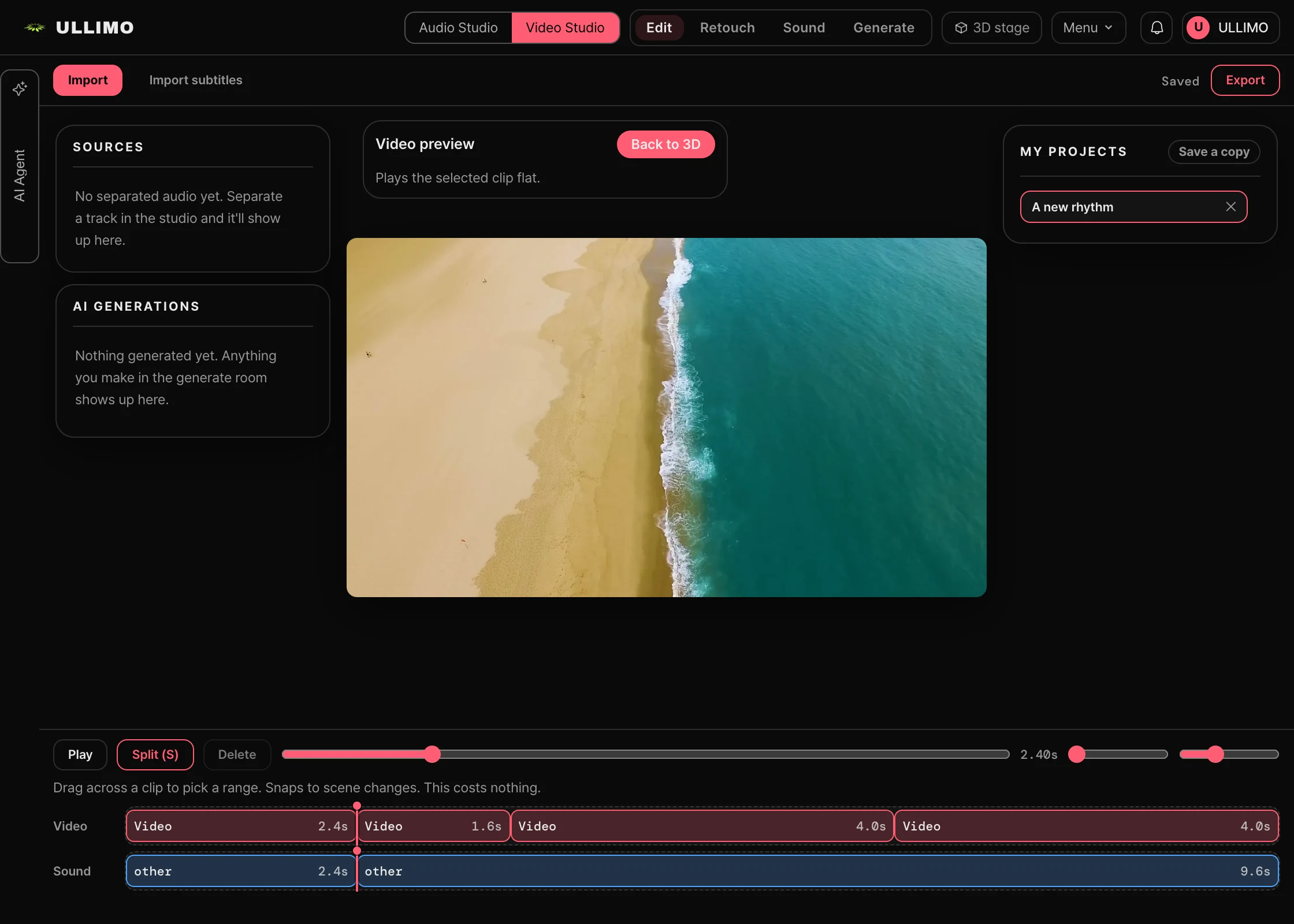
Cut-editing timeline in the actual video editor
Actual editor · An example cut-editing timelineView full size ↗
Stem separationMake musicSubtitles & dubbingRetouchAI video generation
What will you make?

Start with the result you have in mind.

A short video, a backing track, a clearer voice. Connect the tasks that bring your work together.

01

A short video

Shorts · Vlogs · Product stories

Start with
Your footage or an AI-generated clip
Work on
Trim → add subtitles → mix in background music
Make
An MP4 with picture and sound
02

Your own backing track

Practice · Performance · Music production

Start with
Your audio or AI-generated music
Work on
Separate stems → adjust tracks → place sound
Make
Individual sounds and your own mix
03

A voice that comes through

Interviews · Lessons · Narration

Start with
A video with spoken audio
Work on
Reduce noise → subtitle → edit or dub sections
Make
A video with refined speech and subtitles
Two workspaces. Video and audio.

Two workspaces. One video and audio workflow.

Shape scenes in the video studio and sound in the audio studio, with the same AI agent by your side.

Video studio
01 / Video studio

Cut. Refine. Make it yours.

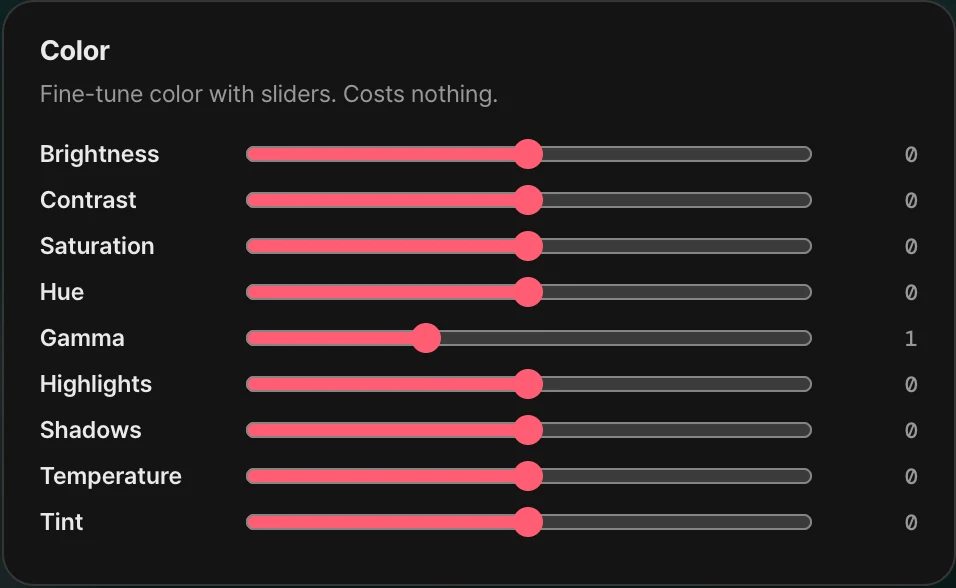
Generate video, trim clips, adjust color, add subtitles and dub. Bring each edit together on one timeline.

AI video generationCut editingSubtitles & dubbing
  • Trim, reorder and adjust speed and aspect ratio
  • Add subtitles, dubbing and color adjustments
  • Add generated clips and separated instruments to the timeline

Export your finished timeline as an MP4.

Open studio
Sound studio
02 / Sound studio

Vocals or backing. Your mix, your choice.

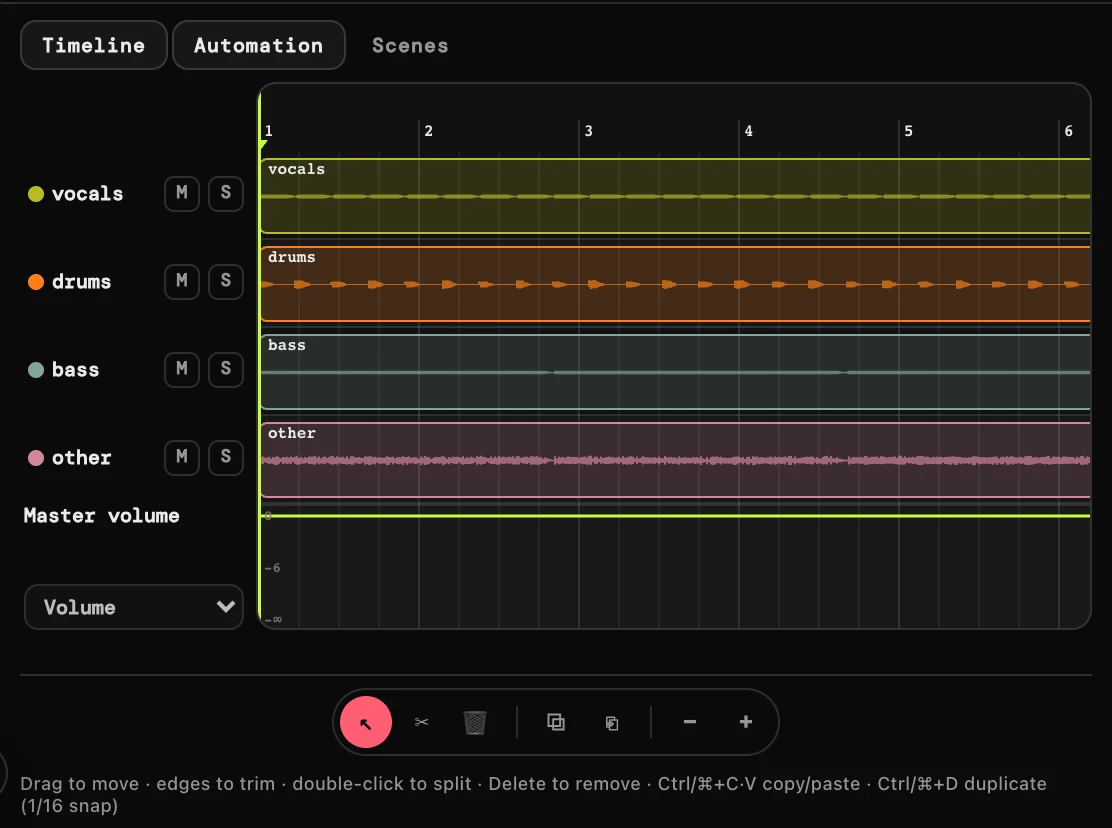
Separate a song into vocals, drums, bass and accompaniment. Adjust each track’s volume and effects, or create new music with AI.

Stem separationTrack mixingAI music
  • Separate vocals, drums, bass and backing; extract instruments
  • Adjust volume, EQ, compression and reverb per track
  • Generate music, compose in the sequencer and transcribe scores

Use individual stems or save the mix you hear as a file.

Open studio

Add separated instruments and generated music as audio tracks in your video timeline.

AI agent

Turn a request into an edit.

“Separate the vocals and turn the backing music down.” Your agent uses tools for separation and volume adjustment. Check the changed tracks and clips in the workspace, then refine them by hand whenever you want.

Review the displayed cost and approve paid tasks. You can review and undo edits; charges for AI work already performed are separate.
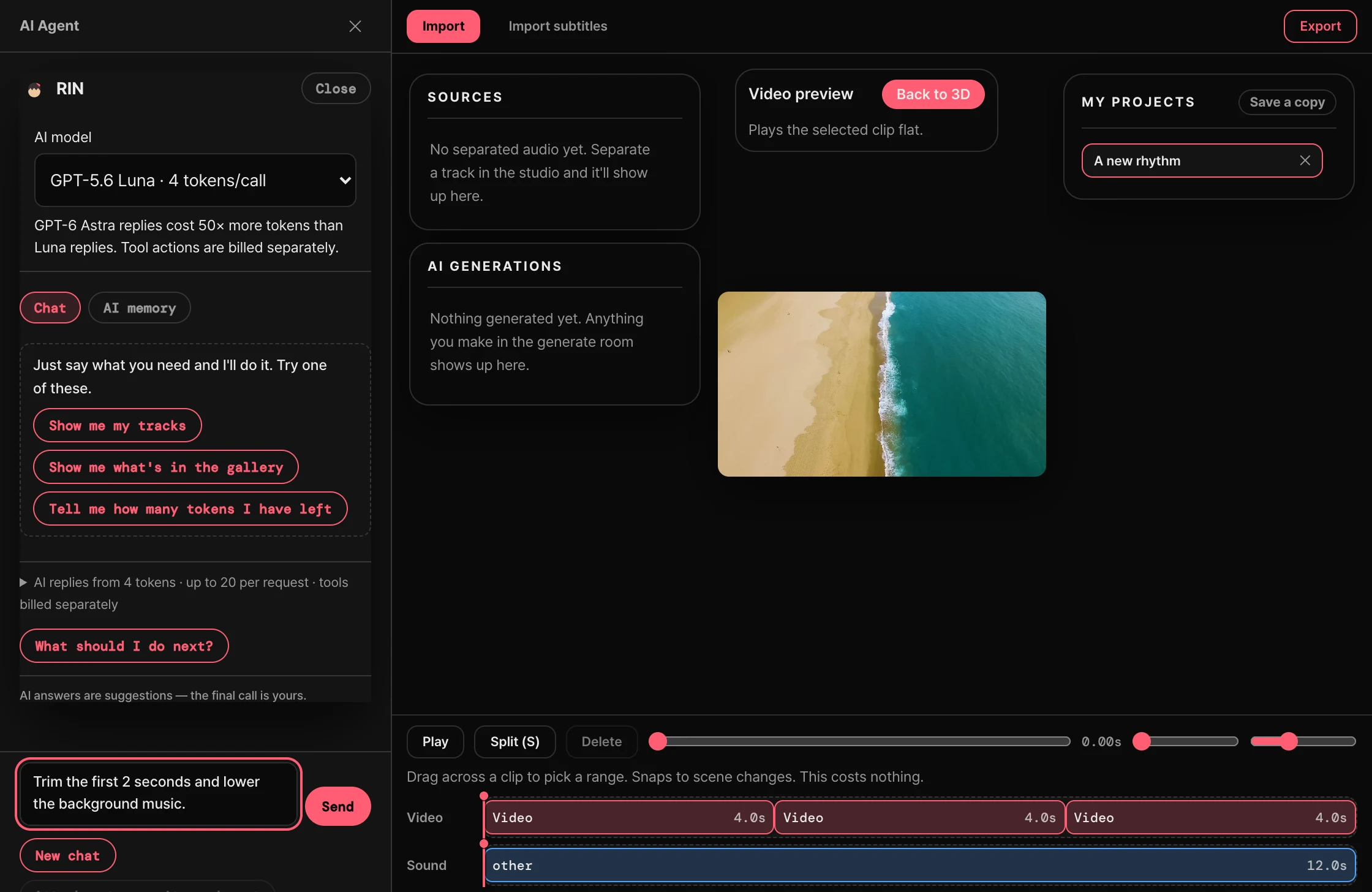
Actual AI agent panel · Example request, not submitted
Actual AI agent panel · Example request, not submittedView full size ↗
AI models, personal API keys and usage costs
GPT-5.6 LunaGPT-6 Astra

Choose Luna or GPT-6 Astra. Astra replies use 40× more tokens than Luna replies; tool actions are billed separately.

Explore the AI agent →
BYOK

Your AI keys. Your workspace.

Subscribers can connect personal API keys to use supported models. Choose a familiar provider for media tools and the AI agent.

  • Replicate
  • fal.ai
  • OpenAI
  • Anthropic
  • Google

Applies to supported features. Displayed Ullimo tokens and your provider’s fees are billed separately.

Learn about API keys →
Spatial audio

Shape the position and resonance of sound.

Place instruments on a stage. Change your listening position and the room’s acoustics. Work with sound in space in the audio studio, and carry the same character and stage experience into the video studio.
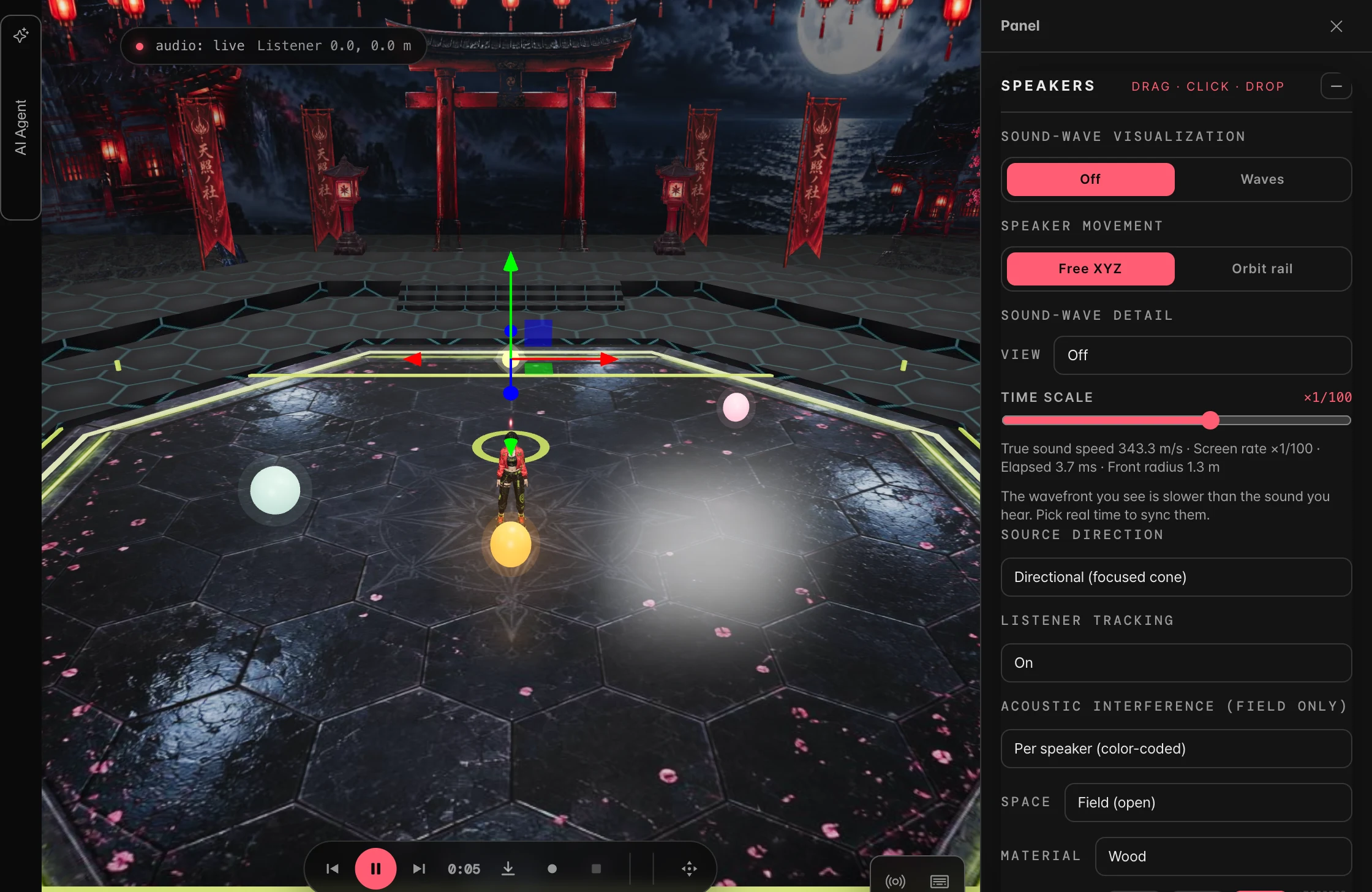
  • Instrument position and distance
  • Listening position and direction
  • Room size, materials and reverb
Explore the audio studio ↗
Actual spatial audio studio · Room settings and instrument placement
Actual spatial audio studio · Room settings and instrument placementView full size ↗
What it actually does today

Tools for the whole piece.

Use them directly or ask your AI agent. AI generation and processing costs vary by task and model.
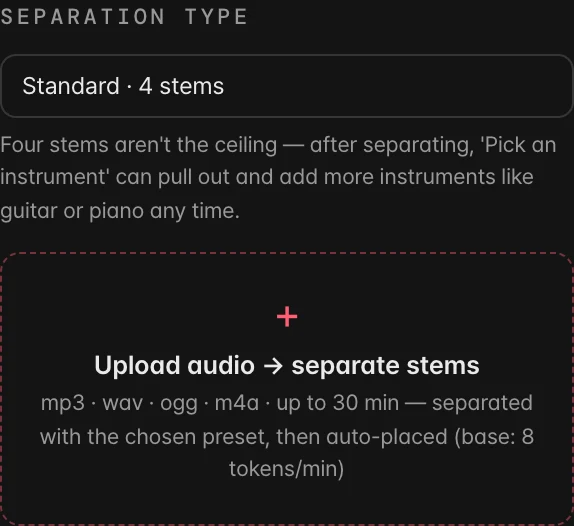
Stem separation — Actual tool settings
Actual tool settingsView full size ↗

Stem separation

Split one song into vocals, drums, bass and backing.
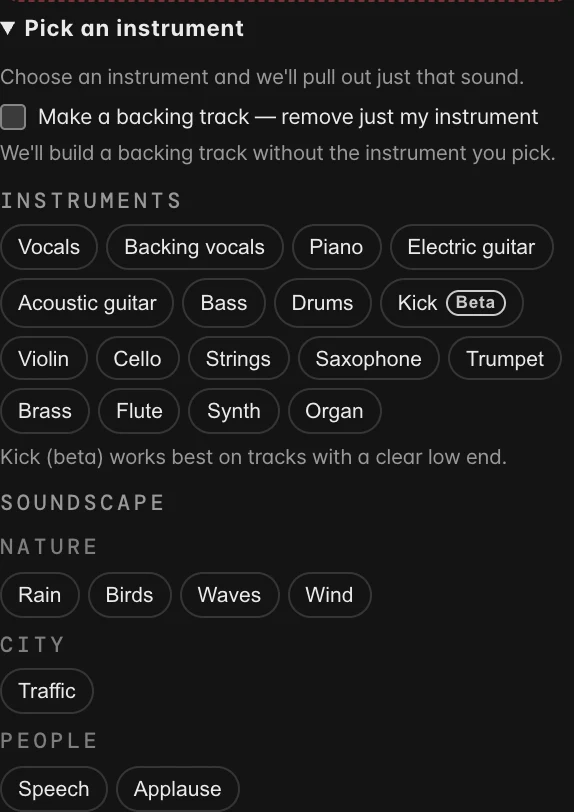
Pick one instrument — Actual tool settings
Actual tool settingsView full size ↗

Pick one instrument

Name an instrument and pull just that out.

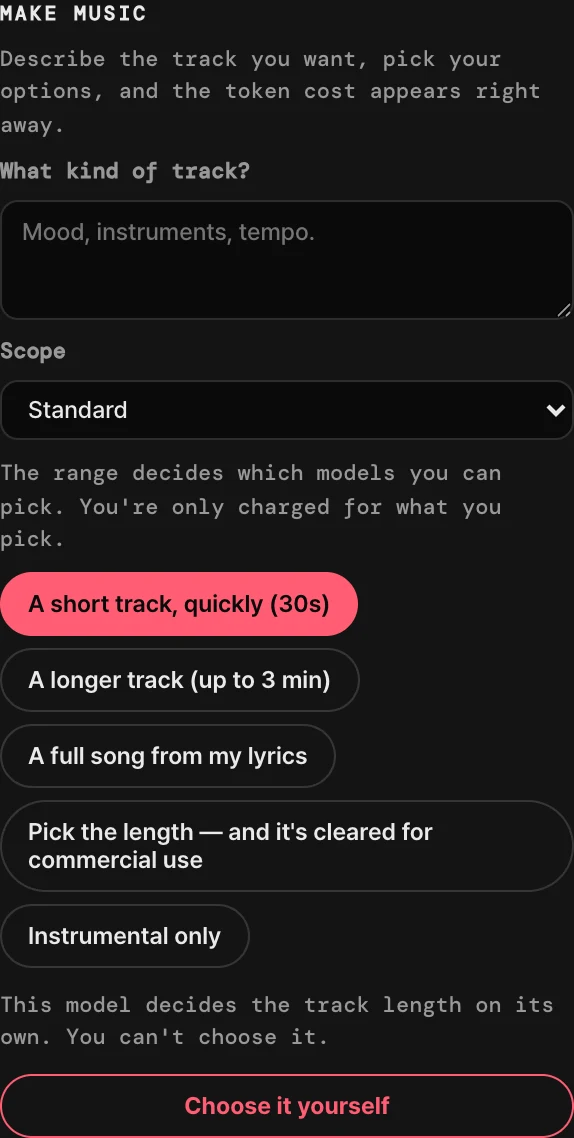
Make music — Actual tool settings
Actual tool settingsView full size ↗

Make music

Describe a mood and get a track back.

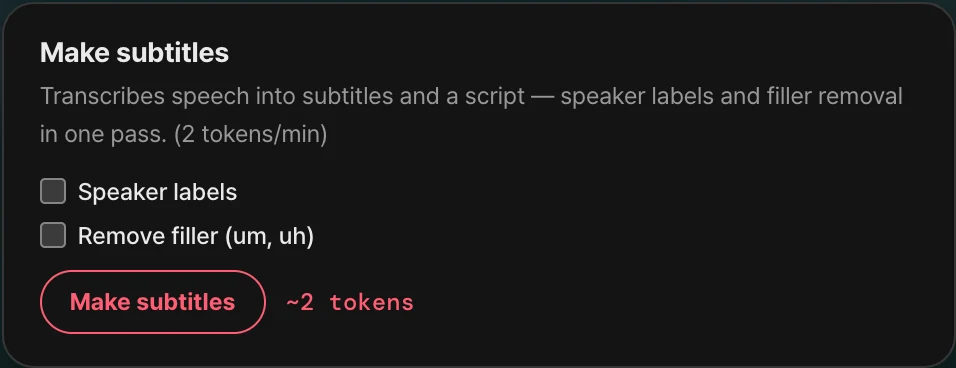
Subtitles & dubbing — Actual tool settings
Actual tool settingsView full size ↗

Subtitles & dubbing

Transcribe the speech, then lay another voice over it.
Retouch — Actual tool settings
Actual tool settingsView full size ↗

Retouch

Grade the color, mask it, take it out.

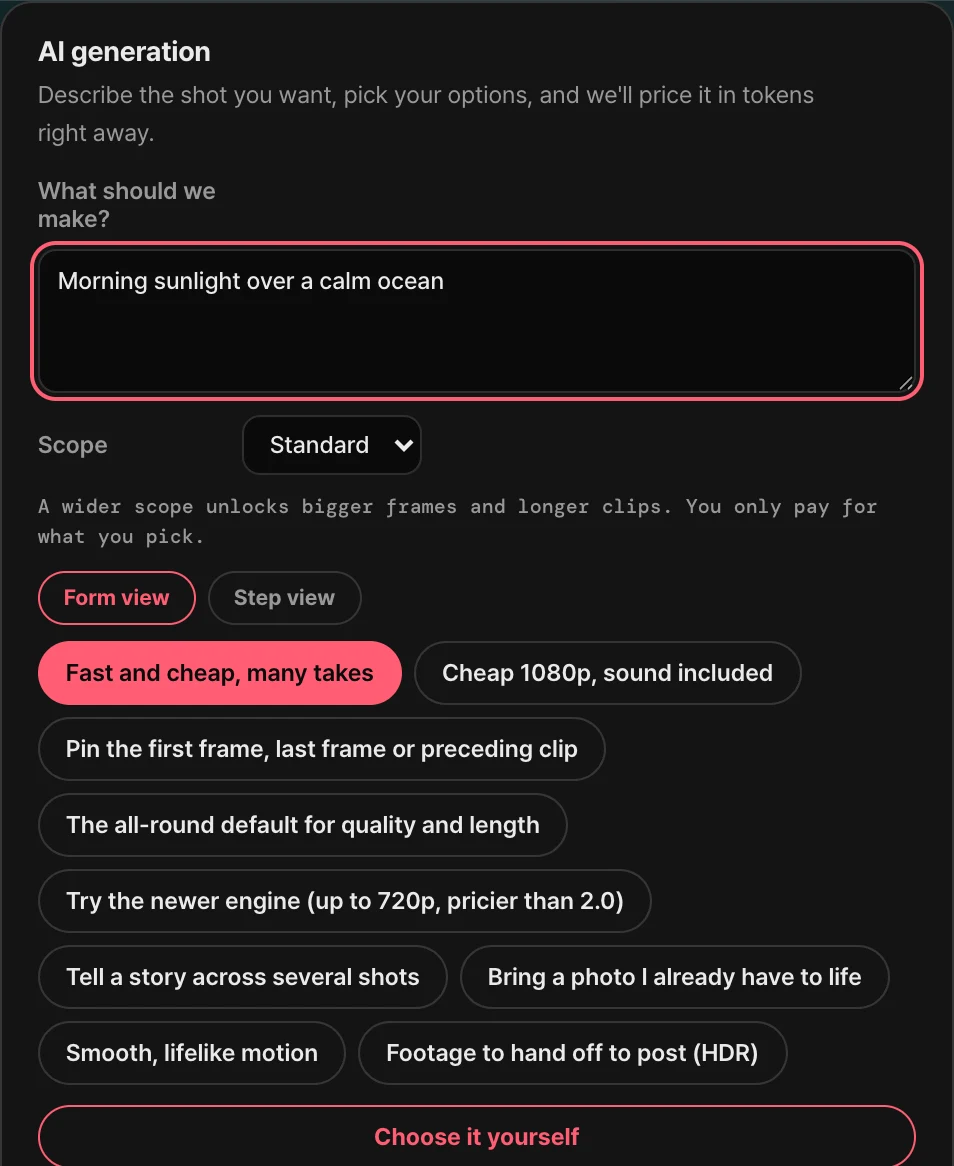
AI video generation — Actual tool settings
Actual tool settingsView full size ↗

AI video generation

Describe a scene, generate a clip, and add it to your editing project.

Your first project, in three steps.

STEP 01

Bring a source

Import video or audio. If you need new material, start with an AI generation tool.

STEP 02

Ask and refine

Delegate a task to your AI agent or work directly on the timeline and mixer.

STEP 03

Review and export

Watch and listen, then export a video or mix. Some workflows require a subscription.

Try it first. Make more when you’re ready.

Signing up is free. A subscription opens more workspaces; AI tasks use tokens.

Try for free

$0

30 tokens on signup

  • Listen and Social modes
  • Try stem separation with your tokens
Start free →

Create with a subscription

$4.99/month

225 tokens every month · Personal API keys · Token top-ups

  • Video editing, Compose and Simulate
  • Personal API keys · Token top-ups

$49.99 yearly

See full pricing and access details →

Monthly tokens do not roll over. AI agent replies and paid tool actions each use tokens. Personal API key providers charge separately.

125–10000 token packs · For active subscribers

Before you get started.

How do video and audio work together?

Add separated instruments and generated music to your video timeline. Both studios share the agent, characters and stage experience, with dedicated tools for video editing and audio mixing.

What can the AI agent actually do?

It runs connected tools for tasks such as trimming clips, setting subtitles, separating stems and adjusting volume or spatial settings. Some tasks open a settings panel or ask for approval. You can review the results and edit directly.

Does free signup include video editing?

Video editing, Compose and Simulate require a subscription. With a free account, you can use Listen and Social and try stem separation with your signup tokens.

Do I need an app? Can I use my phone?

Open it in a desktop, tablet or mobile browser without installing anything. A larger screen is recommended for detailed editing. MP4 export depends on browser encoding support; use an up-to-date Chrome or Edge if your browser does not support it.

Loading…

News · EventsSee all →
Pricing — start free · subscription $4.99/mo →
Your picture. Your sound. Your work.

Start with one source.

Sign up free to try stem separation, then subscribe to bring your video and audio projects together.
Get started →